Video messages for recruiters, and who watched them
Vivolto is video messaging for recruiters. Record yourself in the browser, send the link to a candidate or a client, and find out who opened it and how many seconds they stayed for. A message can also open a Talent Dashboard (the client shortlist) as its welcome video.
Record it in the browser
Press Record at the top of any page. Film yourself, your screen, or your screen with your face in the corner. There's nothing to install: a current Chrome, Edge, Firefox or Safari will do, and a phone can record the camera.
A camera message carries a 45 second guide. The badge on the picture reads "aim for 45 s" and turns amber once you're past it, though nothing cuts you off.
Fluffed a line? Press Redo the last part and say it again. Everything since you last paused or pressed it is cut when the video is prepared, so pause between points and a stumble costs you only the last one.
- Blur your background, with the blurring done on your own device
- Script notes that scroll over the picture while you talk, and that your viewer never sees
- Pause and resume without leaving a gap in the video
- Trim the start and the end before you save
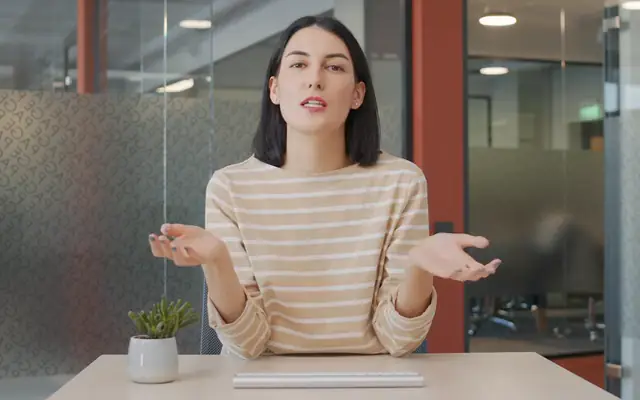
A replica of the recorder part way through a take. The person shown is stock footage.
A title, a note and one button
Every message has a title, and it heads the page your viewer opens. Add a note if you want one and it sits under the video.
Then there's the button. Choose Request a call back and it opens an email to you with the subject "Call me back please". Or give it your own label and link (your booking page, say, or the job advert). It goes under the video in your agency's colour.
Send the same sort of message every week? Save its title, note and button as a template. Templates are shared with everyone in the workspace, so a new starter can begin from a colleague's wording.
- A branded intro card with your logo, your colour, your name and your job title
- An outro card with your email address and phone number
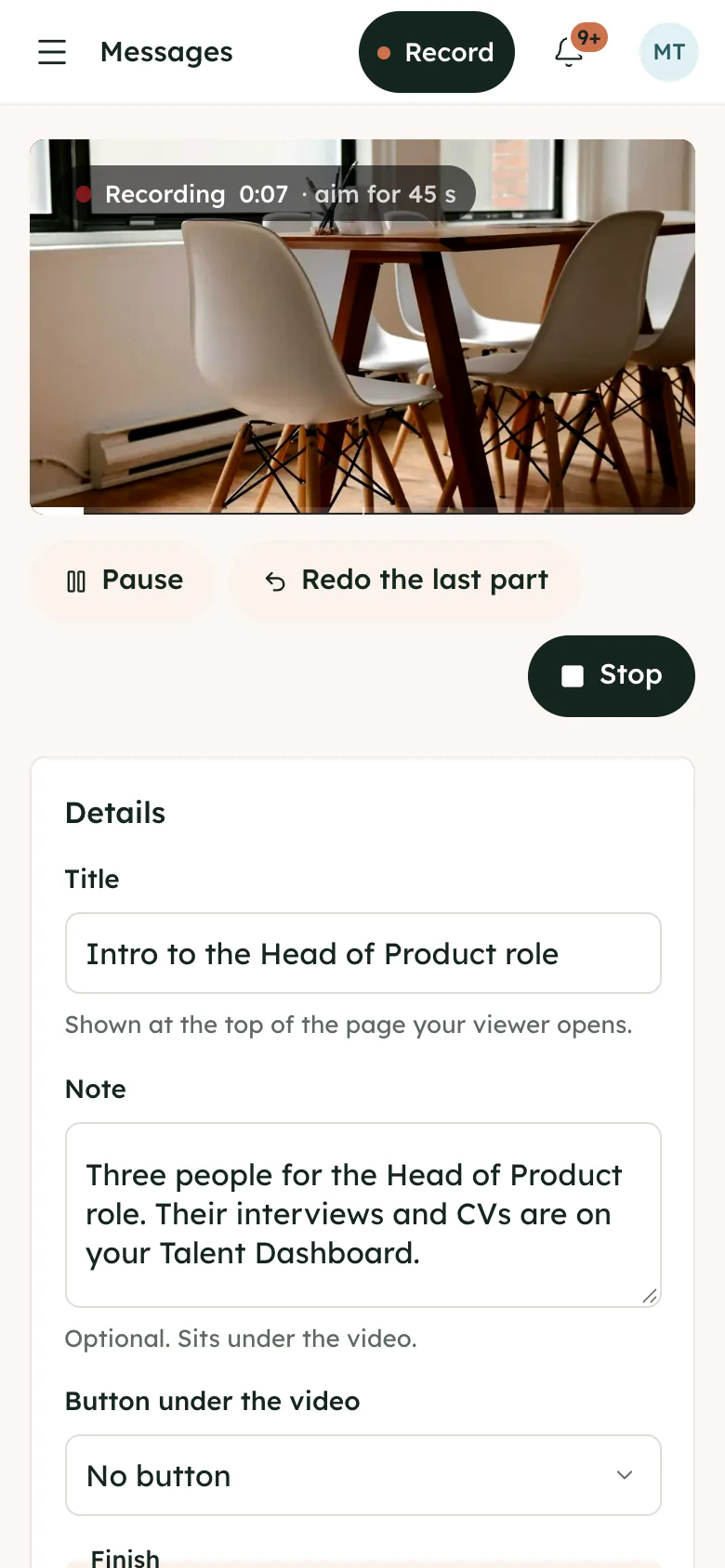
The recorder's Details panel: the title, the note and the button your viewer will see.
Send it as a link or in an email
Saving the message gives you a link. Press Copy link and paste it into an email, a LinkedIn message or wherever you were already talking to the person. In a messaging app it shows the title, your agency's name and a still picture from the video.
For email there's a ready block in place of the bare address. It has a short moving preview of the video that links to the viewer's page, then the title as a link and your signature. Copy it and paste it into the email you're writing in your own mailbox.
Whoever opens it needs no account and installs nothing. They get a page with your logo at the top, the video with captions, your note and your button, plus a Reply button that opens an email to you.
A replica of the page a link opens, on a phone. The person shown is stock footage.
See who watched, and for how long
Open the recording and its Viewers panel lists everyone who opened a link, most recent first, with how long each of them watched and when they were last seen. The time counts only while the video was playing, added up across every visit.
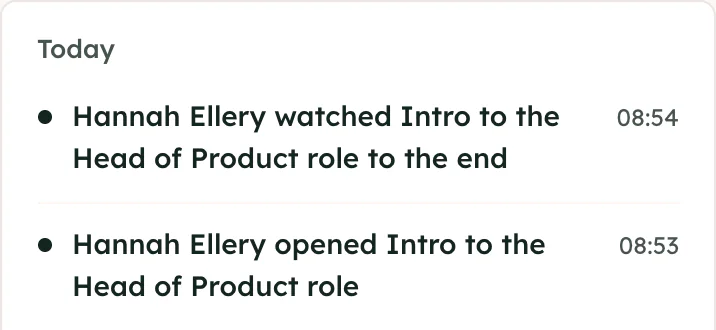
You hear about it as it happens, too. A notification arrives the first time a link is opened and again when a viewer watches to the end. Each can also reach you by email, either at once or gathered into one email a day.
Automatic link checks by email security systems and messaging apps are left out of the count.
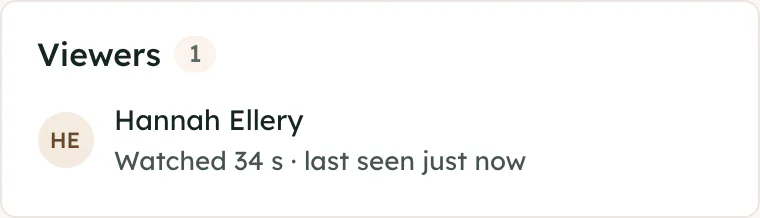
The Viewers panel of a video message: who watched, for how long and when.
A link for each person
A recording can have as many links as you like, and each one counts its own opens. Put a name on a link when you make it and you can tell whether that person opened theirs.
An ordinary link opens for anyone who has it, and a viewer who hasn't said who they are is listed as "Someone with the link". For a name and an address, choose Viewer confirms their email first. They type both, get a code by email and enter it before the video plays.
If one goes to the wrong person, revoke that link and it stops opening at once. The recording's other links carry on working.
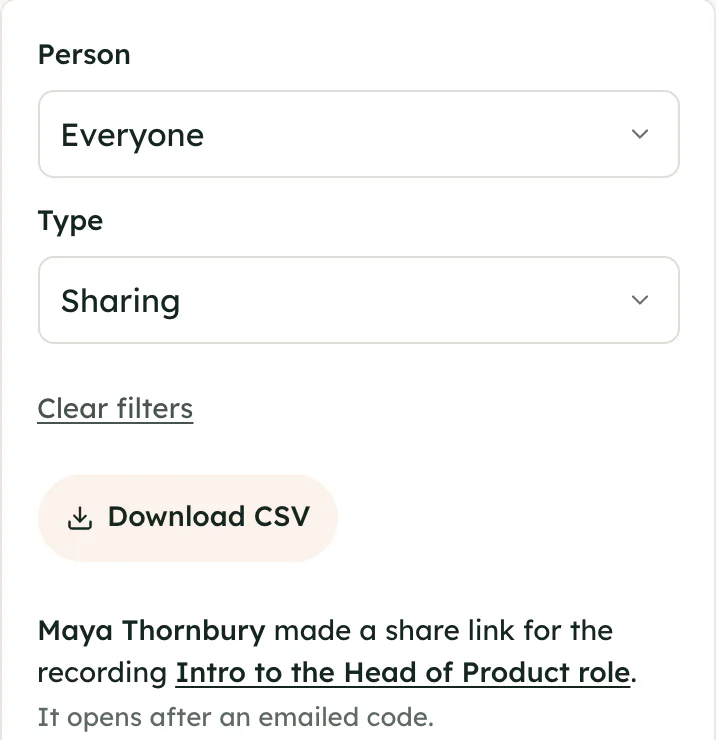
The audit log, where a share link is listed with who made it and how it opens.
Which plans include it
Video messages are on every plan: Starter, Pro and Scale. The recorder, templates, the button, share links and the Viewers panel are the same on each. Recording time counts towards a monthly allowance for each seat: 10 hours on Starter, 30 hours on Pro and 60 hours on Scale. The "Powered by Vivolto" line at the foot of the viewer's page can be switched off on Scale. The trial is 21 days on Pro.
Questions about video messages
Does the person watching need an account or an app?
No. The link opens a page in their browser, on a computer or a phone, with nothing to install. It carries your agency's logo, and captions are on when the video starts, once the recording has its transcript.
How do we know who watched a message?
Each recording has a Viewers panel that lists who opened a link, how long they watched and when they were last seen. A link anyone can open lists its viewer as "Someone with the link". For a name, make a link for each person and label it, or choose the kind of link that asks the viewer to confirm their email address first.
Can the video go inside an email?
Vivolto copies a block for you to paste into your own email: a short moving preview that links to the viewer's page, the title and your signature. The video itself plays on that page, in the browser. An email editor that takes only plain text gets the title, the address and your signature or name.
Is there a limit on how long a message can be?
No fixed limit. A camera message has a 45 second guide and the badge turns amber past it, but recording carries on until you press Stop. What you record counts towards the workspace's recording hours for the month.
Can we stop a link after it's been sent?
Yes. Revoke it and it stops opening at once for everyone who has it. Anyone who tries it afterwards is told the link is no longer available and how to ask for a new one. Deleting the recording takes all of its links down, and an owner or admin can restore it for 30 days.
Which plans include video messages?
Video messages are on every plan: Starter, Pro and Scale. The recorder, templates, the button, share links and the Viewers panel are the same on each. Recording time counts towards a monthly allowance for each seat: 10 hours on Starter, 30 hours on Pro and 60 hours on Scale. The "Powered by Vivolto" line at the foot of the viewer's page can be switched off on Scale. The trial is 21 days on Pro.
Read next
Client shortlists
Talent Dashboards your client opens from a link and answers from their phone.
Video interviews
Interview on video, read it back as a transcript and send it to your client.
One-way video interviews
Set the questions once. Candidates answer on camera in their own time.
Vivolto and Loom
Both products row by row, each row with its source.
Try it on a real role
Type your agency's name and it's carried through sign-up into your new workspace. Your logo and colours go in next, then your first recording.