One-way video interviews for recruitment agencies
Vivolto is one-way video interview software for recruitment agencies. You write the questions once and each candidate answers them on camera when it suits them, with nobody else on a call. The answers come back as recordings, ready to go on a Talent Dashboard (the client shortlist) beside the CV.
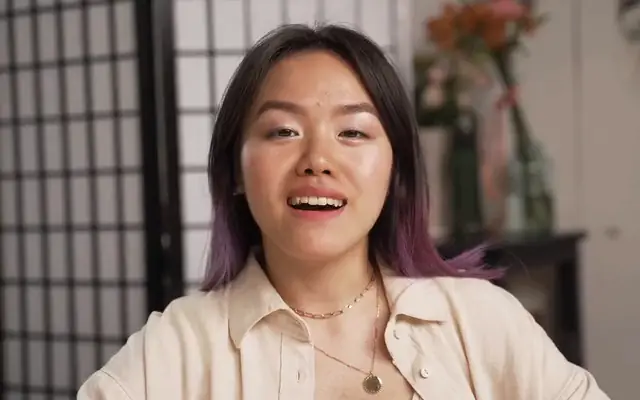
Write the interview once
In the app they're called Solo Interviews. One of them is a title, an introduction if you want one, and your questions. For each question you choose how long the candidate gets to think before recording starts, the longest an answer can run and how many retakes they're allowed.
Then you invite people, one candidate at a time. Each gets an email in your name with a link of their own, the number of questions and the date to finish by, and any reply comes back to you.
Once a candidate has started answering, the questions are fixed, so everybody is asked the same thing. Need different questions for the next few people? Duplicate the interview and change the copy.
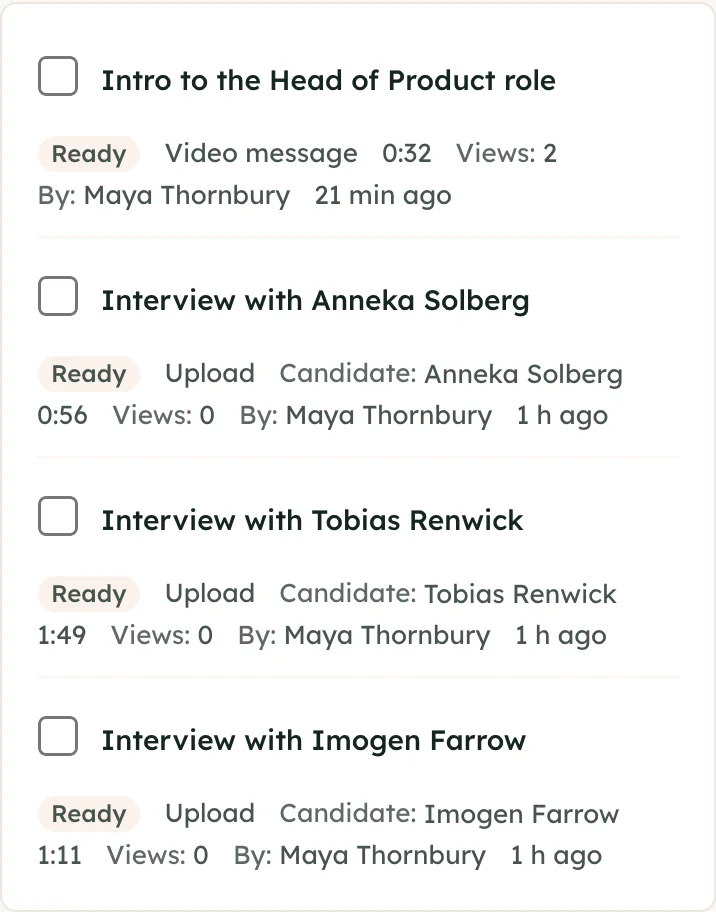
All recordings in the app. Each answer a candidate sends is listed here as a recording.
Recorded when it suits the candidate
The link opens a page in your agency's branding, in the browser on a laptop, a tablet or a phone, and there's no account to make. Its first page lists every question with its answer length and its retakes, so the candidate can read the lot before starting.
On each question they turn the camera on and see themselves before anything is recorded. If you gave thinking time a countdown runs first, though they can start sooner. Afterwards they play the take back and either send it or record again, and the button says how many takes are left. Nothing reaches you until they press send.
They can stop between questions and carry on later from the same link, with the answers they've sent kept. Each recording gets a timestamped transcript. No software scores or ranks a candidate.
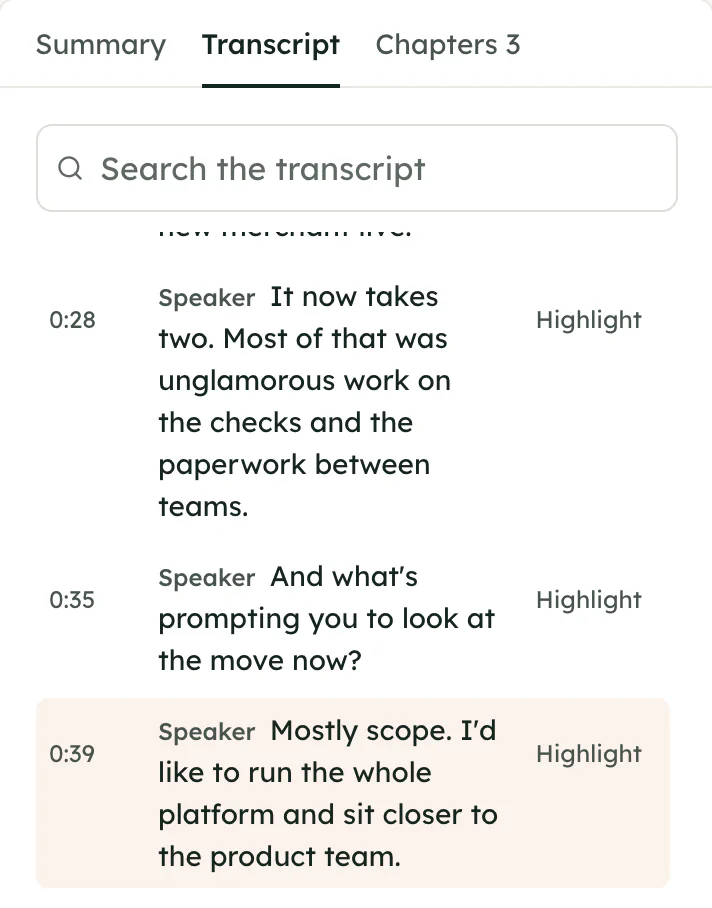
What an answer becomes: a recording with a transcript, the line being spoken marked.
The candidate agrees before recording
Before the first question the candidate reads a short notice headed "What happens to your answers". It names you and your agency as the people who watch them and says who they may be shared with: the hiring company, by name and with the role where the interview is filed under a job.
It gives how long your agency keeps the answers (the retention period your workspace has set for interviews), and it says a transcript is produced automatically and that nobody is scored, ranked or filtered by software. They tick one box to agree, once, and the date they agreed shows under their name on the interview's page.
When that period is up the recording is deleted. It can be restored for 30 days and is then removed for good, along with its file. A candidate who changes their mind can ask your agency to remove their recordings at any time, from a link on the page they finish on.
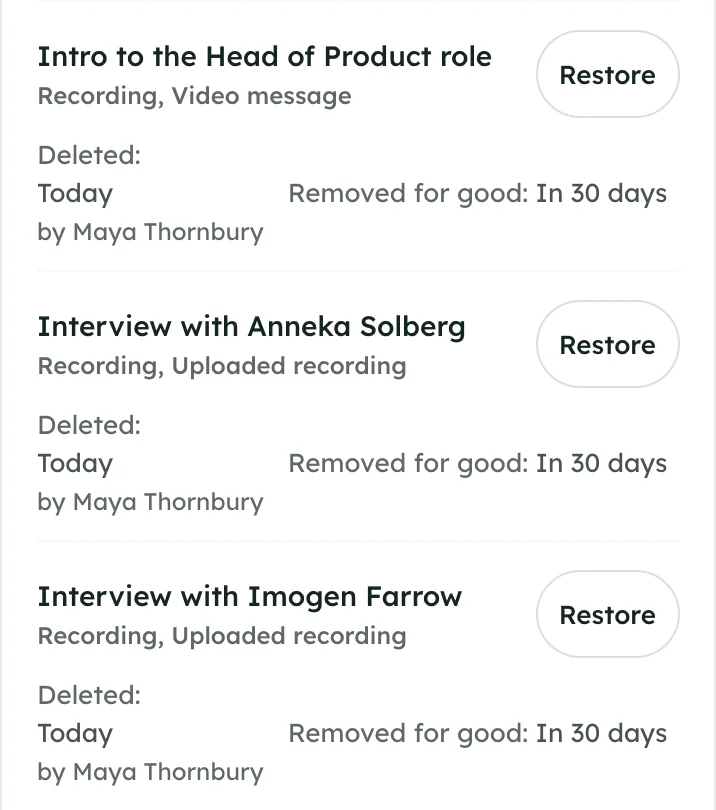
Recently deleted in the app, where a recording can be restored for 30 days.
From an answer to your client's phone
Answers appear under the candidate's name on the interview's page, numbered, each with its question and its length. You'll find them on the candidate's own page and under All recordings too.
Add one to that candidate's card on a Talent Dashboard and it goes to your client as a link. Video, formatted CV, salary and notice sit on one card.
Clients don't sign up for anything. They open the link, watch the answer, tap yes, maybe or no, and can ask to interview the candidate themselves.
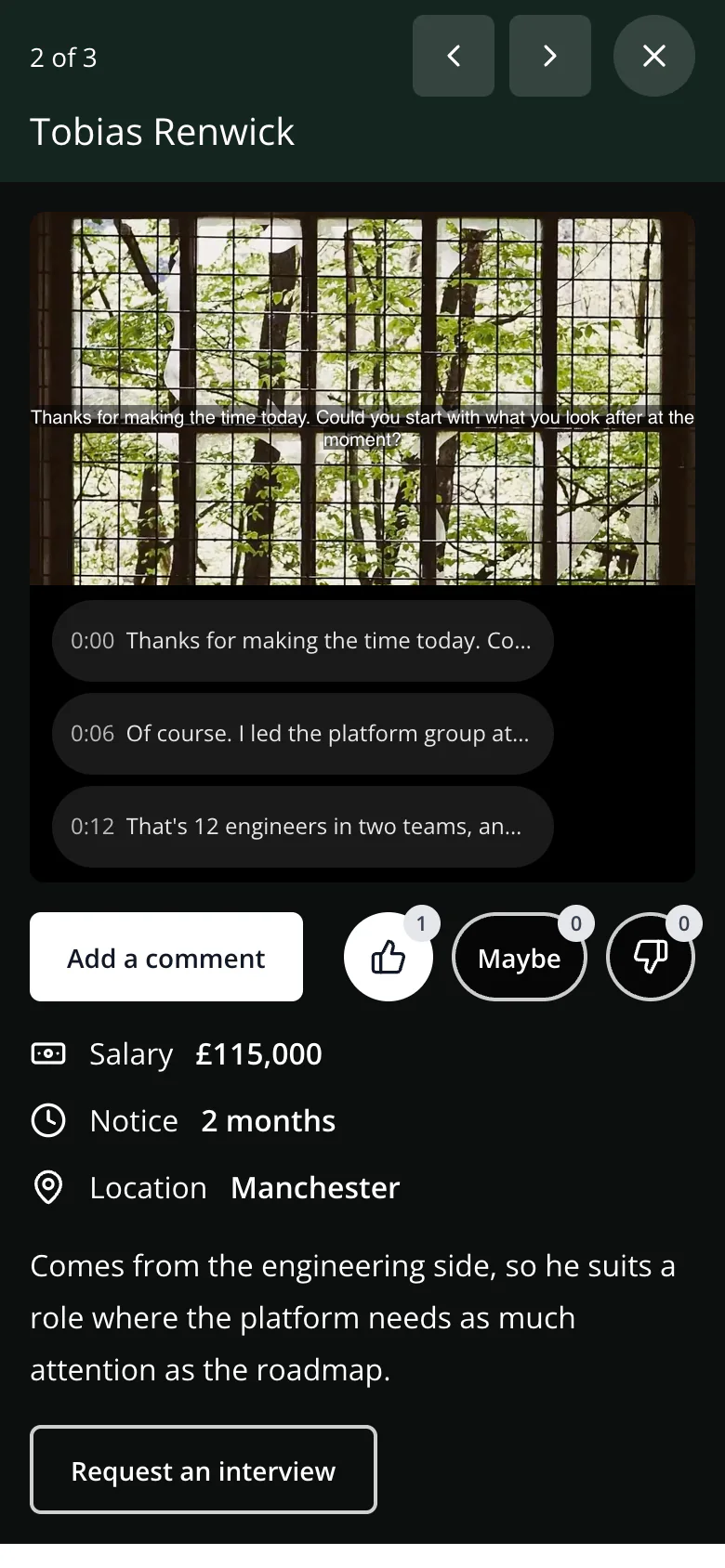
A candidate's card on a client's phone, with the interview playing.
Or just ask for an intro
Sometimes one question is plenty. Press Ask for an intro on a candidate's card in a Talent Dashboard and they're emailed the request in your name. If there's no email address on their record, you get the link to send yourself.
The question on their page reads "Introduce yourself in under a minute and say why this role interests you." They answer on video, for up to 60 seconds and with as many takes as they like, or they write a few lines if they'd rather not be on camera. The link works for 30 days.
A video intro goes onto the card by itself, and your client finds it under an Intro video tab. A written one waits for you to read it first, and clients see it only once you've put it on the card.
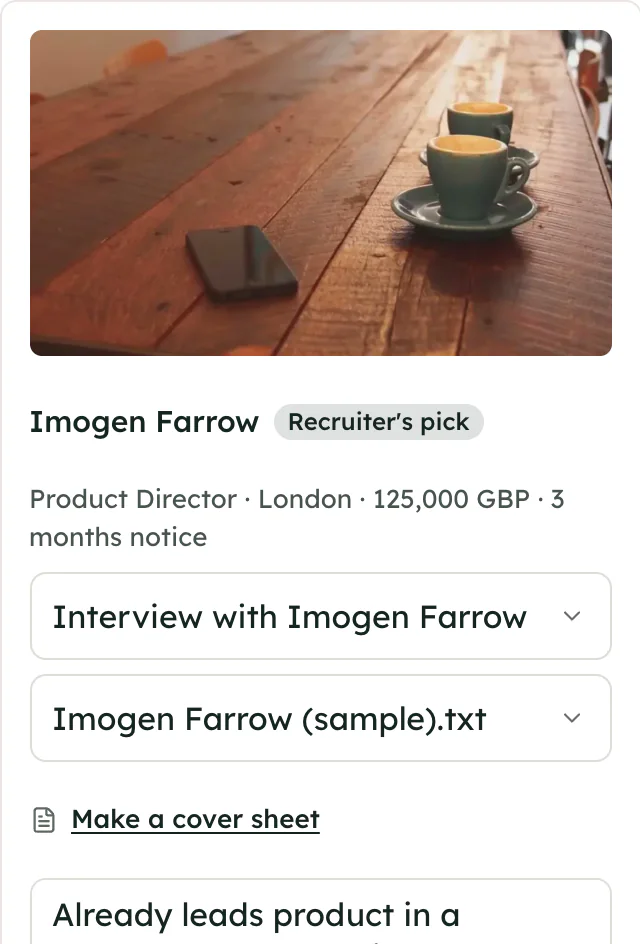
A candidate's card in the Talent Dashboard builder, which is where you ask for an intro.
Which plans include it
Solo Interviews, intro requests, transcripts and Talent Dashboards are on every plan: Starter, Pro and Scale. Answers count towards the recording time each seat adds to the workspace every month, which is 10 hours on Starter, 30 hours on Pro and 60 hours on Scale. An interview recording is kept for up to 12 months on Starter, for up to 24 months on Pro and for as long as you set on Scale. The trial is 21 days on Pro, with no card.
Questions about Solo Interviews
Does a candidate need an account or an app?
No. The invitation is a link that opens in a current version of Safari, Chrome, Edge or Firefox, on a laptop, a tablet or a phone with a camera and a microphone. There's nothing to download.
Can a candidate record an answer again?
That's yours to decide, question by question. You set how many retakes a question allows (none, if you want first answers), and the candidate plays each take back before choosing to send it or record again. Every start counts as a take, even one they stop early. An intro request has no limit on takes, and only the one they send reaches you.
What is a candidate told before they record?
A notice on the first page says their answers are recorded on video, who at your agency watches them, who they may be shared with, how long your agency keeps them and that they can ask for them to be removed at any time. They tick a box to agree before the first question, and the date they agreed is shown under their name on the interview's page.
What happens if a candidate misses the deadline?
You choose how many days candidates get when you write the interview. After that date the link says the deadline has passed and tells them to ask you for more time. Invite them again and they get a new link and a new date, and start from the first question. Anything they'd already sent stays with you as recordings.
Does software score candidates?
No. Nothing in Vivolto scores or ranks a candidate, though clients can rate candidates against your criteria themselves.
Which plans include one-way video interviews?
Solo Interviews, intro requests, transcripts and Talent Dashboards are on every plan: Starter, Pro and Scale. Answers count towards the recording time each seat adds to the workspace every month, which is 10 hours on Starter, 30 hours on Pro and 60 hours on Scale. An interview recording is kept for up to 12 months on Starter, for up to 24 months on Pro and for as long as you set on Scale. The trial is 21 days on Pro, with no card.
Read next
Video interviews
Interview on video, read it back as a transcript and send it to your client.
Client shortlists
Talent Dashboards your client opens from a link and answers from their phone.
Video messages
Record a message, send the link and see who watched and for how long.
Vivolto and Hireflix
Solo Interviews set beside Hireflix row by row, with a source on every row.
Try it on a real role
Type your agency's name and it's carried through sign-up into your new workspace. Your logo and colours go in next, then your first recording.